 Get started
 StatusPage
SSO integrations
Rotate SAML certificates in Microsoft Entra ID
Use these instructions to rotate the certificates used by Masterplan SAML SSO in Microsoft Entra ID. Depending on your configuration, rotate the signing certificate, the encryption certificate, or both.
Before you begin
- Sign in to the Microsoft Entra admin center with permission to manage the Masterplan enterprise application.
- Open Enterprise applications, select your Masterplan application, and open its SAML configuration.
- Download the required current certificate:
masterplan.com-saml-signing.cerfor request signingmasterplan.com-saml-encryption.cerfor assertion encryption
- Add the current certificate before the deprecated certificate expires. Keep the deprecated certificate configured alongside the current certificate until it has expired to prevent SAML SSO interruptions.
Rotate the signing certificate
The signing certificate allows Microsoft Entra ID to verify SAML requests signed by Masterplan.
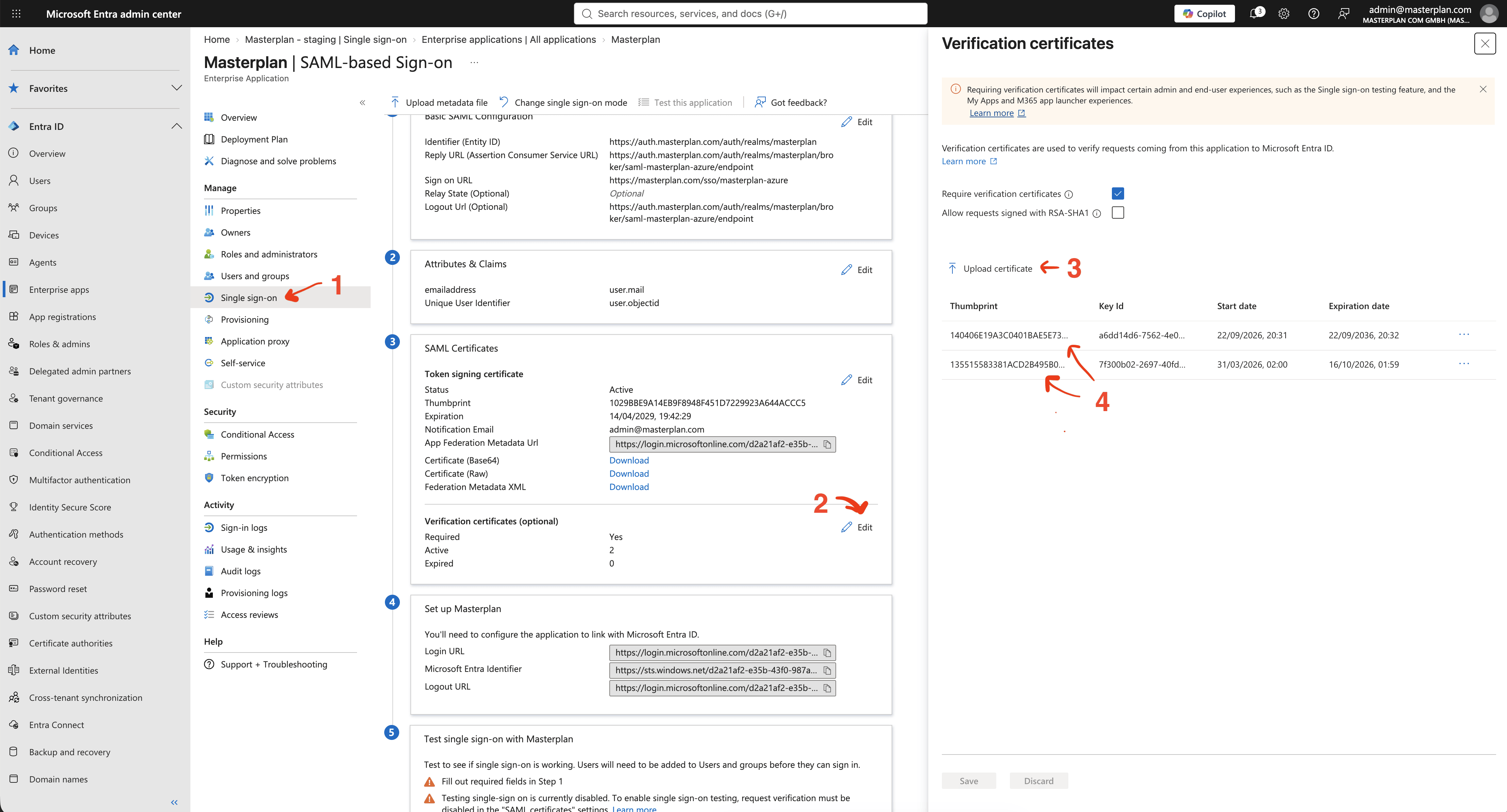
- In the Masterplan enterprise application, open Single sign-on.
- Under SAML Certificates, select Edit next to Verification certificates (optional).
- Select Upload certificate and upload
masterplan.com-saml-signing.cer. - Confirm that both the deprecated and current certificates are listed. Verify that their Entra/SHA-1 thumbprints are
140406E19A3C0401BAE5E738272FBA749C78FDC8for the current certificate and135515583381ACD2B495B02AF47D8770B28AFC5Afor the deprecated certificate. Keep the deprecated certificate configured until it expires.
Rotate the encryption certificate
The encryption certificate allows Microsoft Entra ID to encrypt SAML assertions that only Masterplan can decrypt.
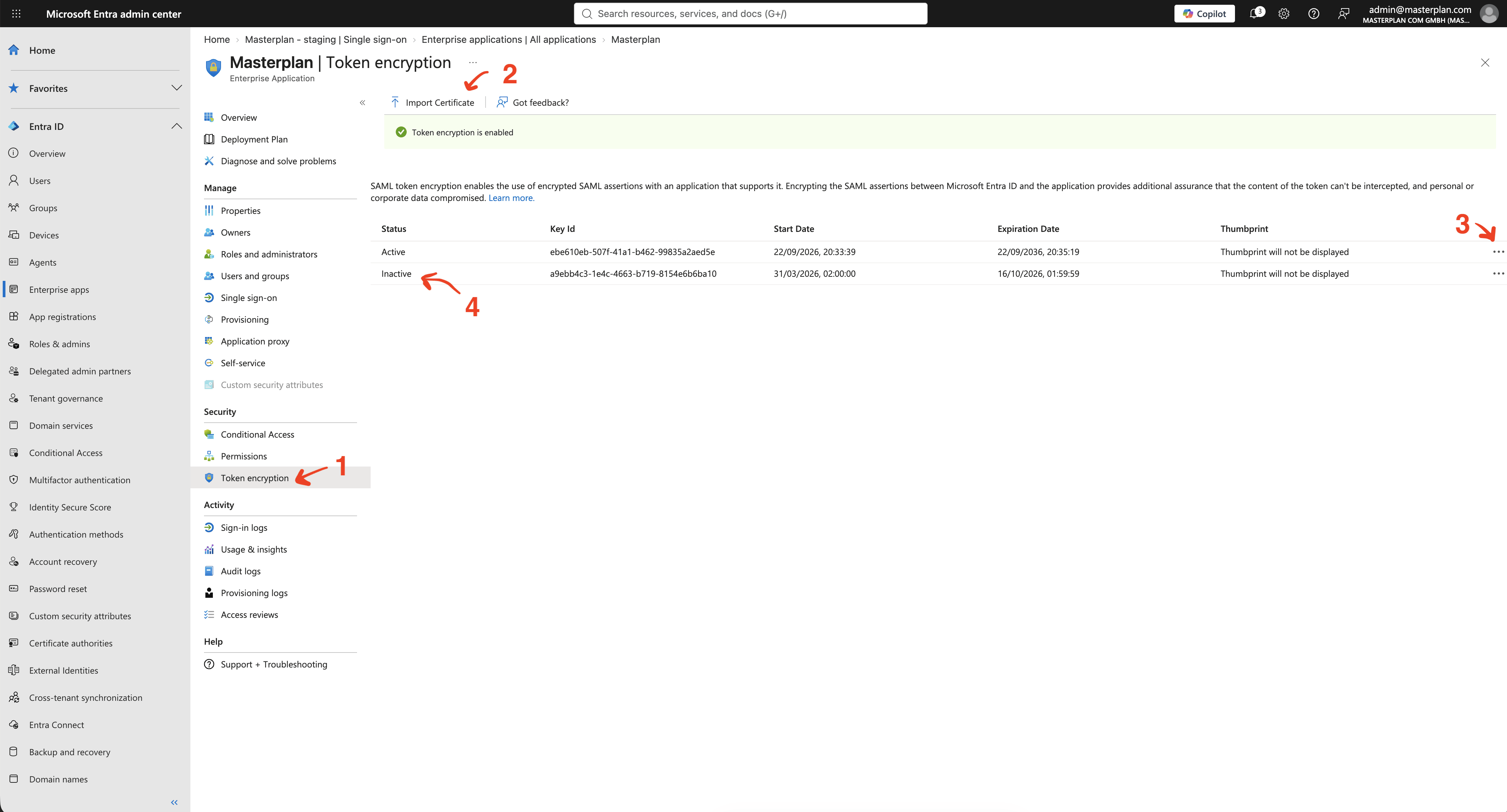
- In the Masterplan enterprise application, open Token encryption under Security.
- Select Import Certificate and upload
masterplan.com-saml-encryption.cer. - Open the actions menu for the current certificate, select Activate, and confirm that its status changes to Active.
- Confirm that the deprecated certificate remains listed with the status Inactive. Keep it configured until it expires.